
The pieces
Website Ownership Is Really Several Things
Why it matters before you need it
Most owners think about website ownership only when something goes wrong: a designer retires, a business partner leaves, or a renewal notice goes to an email nobody checks. By then, sorting it out can take weeks. Imagine a landscaper whose designer bought the domain on her own account years ago, then moved out of state. The site still works, but nobody can renew the domain, change the email settings, or move the site without her. That's an easy problem to prevent and a frustrating one to fix later.
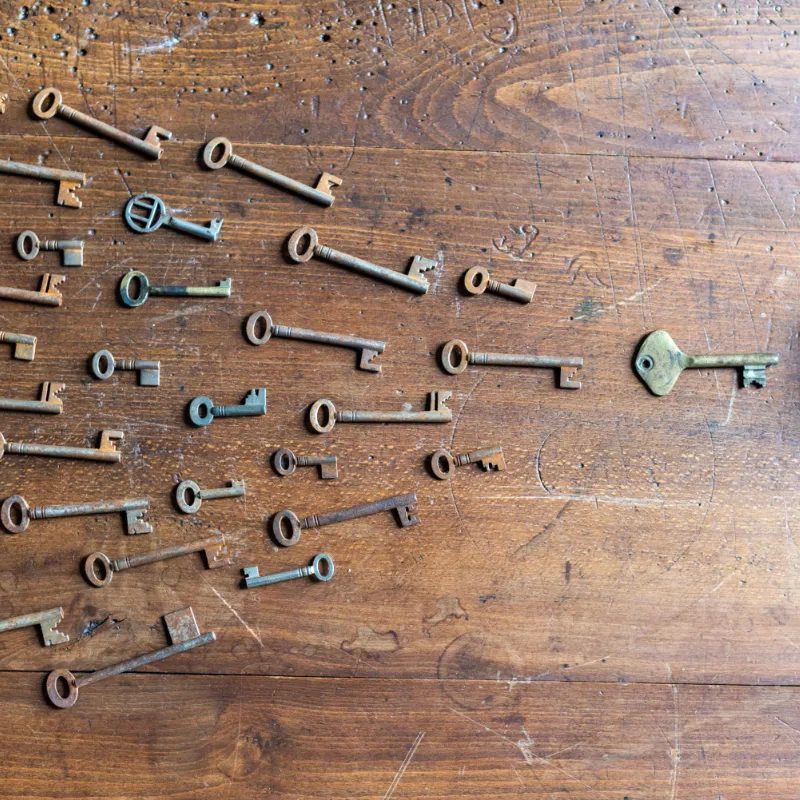
The fix starts with knowing what you're actually trying to own. A WordPress website isn't a single file sitting on a computer somewhere. It's a set of separate pieces, each held by someone, and each with its own login. Some pieces should always be in your name. Others are fine in someone else's hands, as long as you can get a copy or take over when you need to.
The pieces that make up your website
The domain
Your address online, held at a domain registrar.
The hosting
The server space where the site's files and database live.
The WordPress install
The site itself, with its admin logins.
Your content
The words, your photos, and any licensed stock photos.
Software licenses
Premium themes and plugins that need renewing.
The accounts around it
Google Business Profile, analytics, and business email.
Who holds what
Who Should Hold Each Piece
Not every piece needs to be in your name to be safe. What matters is that you either own it outright or can get it, a copy of it, or full access to it without asking permission. My guide on what to ask before you hire a professional website designer covers the questions to ask up front. This section goes one step further: what each piece is, who normally holds it, and what's a warning sign.
Who owns my website domain?
You should, with no exceptions. The domain should list you or your business as the registrant, and it should sit in a registrar account you can log in to, even if your designer manages it day to day. If the domain is in your designer's account or name, everything else depends on their goodwill. It's the single piece most worth checking today. Log in to your registrar, or look at your renewal emails, and confirm the owner listed is you.
The hosting account
Hosting is different. With managed web hosting, your designer or host runs the server and your site lives on it alongside others. You don't own the server, any more than you own the building when you rent an office, and that's normal. What you need is the right to leave: a full backup of your site's files and database, handed over when you ask, so it can be set up anywhere else.
Your WordPress admin login
WordPress has several user roles, and only the Administrator can do everything, including adding users and installing plugins, as WordPress's own guide to roles explains. You should have an Administrator account in your own name, not a shared login and not an Editor account that can only change text. You may never use most of what it can do. The point is that nobody can lock you out of your own site.
Your words and photos
The words on your site and the photos you supply should be yours to keep and reuse. Stock photos work differently: they're licensed, not owned, which means you have permission to use them on your site under the license's terms rather than owning the pictures themselves. That's normal and fine. It just means that if you move the site, it's worth asking whether the stock photo licenses travel with it or whether you'll need your own.
Premium themes and plugins
Many sites use premium tools, such as a page builder or an SEO plugin, that need a paid license to keep getting updates. Designers often cover these under their own license for every site they look after, which saves each client the cost. It often goes like this: an owner switches designers, the site keeps working for a while, and months later a plugin stops updating because the old license no longer covers it. Depending on the product, premium features can stop too. Plan to buy your own licenses when you move.
The accounts around your site
Your Google Business Profile, analytics, Search Console, and business email are part of your online presence too, and they should be owned by an account you control. Google Business Profile, for example, has owners and managers, and Google's help page on profile access explains the difference. A designer can be a manager and do all the work. You should be the primary owner, and sorting that out now is half the work of knowing how to transfer website ownership later.
Here's a simple rule of thumb: if something is in your designer's name, ask for owner access now, while everyone is on good terms.
Have a question this article didn't answer?
Ask it. Happy to help, even if it never becomes a project.
How I work
How I Handle Ownership for My Clients
How I set it up
Every client I build for gets their own Administrator login, and their domain is registered in their name. I help clients buy their domain in their own name for exactly that reason. The words I write for your site are yours, and so are any photos you supply. Stock photos are licensed for your site rather than owned, and the premium plugin licenses I use are mine, which means they're covered while I look after the site.
If you ever decide to leave, you get a full backup of your site to take anywhere you like. You'd keep your admin login, your domain, and your own photos, and you'd need your own licenses for the premium plugins your site uses. I'd rather tell you that up front than have you find it out later. You can also make your own edits whenever you like, so you're never waiting on me for a change to your own site.
Moving on
How to Transfer Website Ownership When You Move On
If you're ready to change designers, or you're taking a site back from someone who built it, the order matters. Learning how to transfer website ownership is mostly about collecting access first and moving things second, so the site and your email keep working the whole time. Most designers are glad to help when asked clearly and in writing. Here are the steps in the order I'd take them.
Six steps to take your site with you
1
Collect your logins. The domain registrar, the hosting account if it's yours, and an Administrator login to WordPress.
2
Get a full backup. The site's files and its database, as a download you keep.
3
Take control of the domain. Move it into a registrar account in your name; the registrar can explain its transfer steps.
4
Line up your own licenses. Any premium theme or plugin the site depends on.
5
Move the Google accounts. Make yourself the owner of your Business Profile, analytics, and Search Console.
6
Plan the email move. If your email runs on the domain, change its settings carefully so messages don't go missing.
One detail of how to transfer website domain ownership catches people out. Under ICANN's domain transfer policy, changing the owner listed on a domain can trigger a 60-day lock on moving it to another registrar, unless you opt out when you make the change. Plan around it if you're switching registrars at the same time. Email deserves the same care, especially if you use a professional business email address on your domain, since one wrong setting can stop mail from arriving.

If a designer won't hand over a domain that should be yours, start with a calm written request listing exactly what you need. Registrars have their own processes for owners who can prove the domain belongs to them, so contact the registrar's support team next. If the domain is registered in someone else's name and they won't cooperate, that's the point where an attorney's letter can help. It rarely gets that far when the request is clear and polite.

The honest answer
So, Who Owns Your WordPress Website?
You should own the domain, your admin login, your words, and your photos, and be the owner of the accounts around your site. Hosting, licensed stock photos, and premium plugin licenses can sit with your designer, as long as you can get a full backup and take over when you choose. Check those pieces now, while it's easy, and you'll never need to search how to transfer website ownership in a hurry. If you do, the steps above will get you through it.
If you're not sure who holds the pieces of your own site, I'm happy to help you work it out. Tell me what you know about your domain, your hosting, and who built the site, and I'll tell you honestly what you have and what's missing. You can start with a free, no-pressure conversation whenever it suits you.
Would you rather not manage hosting yourself?
I offer fully managed WordPress hosting, with support and security included.
Ask About HostingKeep reading
What to Ask Before You Hire a Web Designer
The questions about ownership and hosting to ask before you sign.
Read the articleShared, Managed, and Self-Managed Hosting
What managed hosting means and who looks after your site.
Read the article