
Case study
Crew Safety Talks: a safety talk library for plant crews
Crew Safety Talks is a free library of short safety talks for crews in power plants, refineries, and large manufacturing plants, with printable PDFs for members. I designed and built the site, planned how people find and use the talks, and set up its paid memberships.
The client
What Crew Safety Talks is, and who it’s for
Most industrial plants start the day with a crew safety meeting, and supervisors take turns bringing a topic. On their day, they often have just a few minutes to find something worth reading aloud. Crew Safety Talks exists for that moment.
It’s a library of short talks, three to five minutes each, about the equipment and hazards people work around in power plants, oil refineries, chemical plants, and large manufacturing plants. Every talk is free to read online, written in plain field language, and checked against the published source it’s based on, such as an OSHA standard.
Supervisors, safety staff, crews, and contractors use it. Some readers are veterans and some are new hires, so the talks are written for both.
For crews that want the talks on paper, a paid membership adds printable PDFs in English and Spanish, with plans for one person, a small team, or a whole plant.
At a glance
A free library of short safety talks
For power plants, refineries, and large manufacturing plants
Printable PDFs in English and Spanish for members
Plans for one person, a team, or a whole plant
The goals
What the site had to do
A supervisor doesn’t come to this site with questions. They come with a meeting to lead. Everything about the site had to start from that.
Find a talk in seconds
Someone with a meeting in ten minutes doesn’t want to browse. Search, a random talk, and clear subjects had to get them to a good talk fast.
Ready to read aloud
Every talk had to open ready to use, with nothing to adapt: the right length, in the words a crew actually uses.
Keep the library free
The talks are free to read. The membership had to feel like support for the library, not a wall in front of it.
Work for a whole plant
Companies needed plans where one account covers a crew or a whole plant, with someone at the company managing who’s on it.
How the site does it
How each part of the site serves that purpose
Every part of Crew Safety Talks is built around the supervisor with a meeting coming up, and the crew that has to listen.
A talk in seconds, three different ways
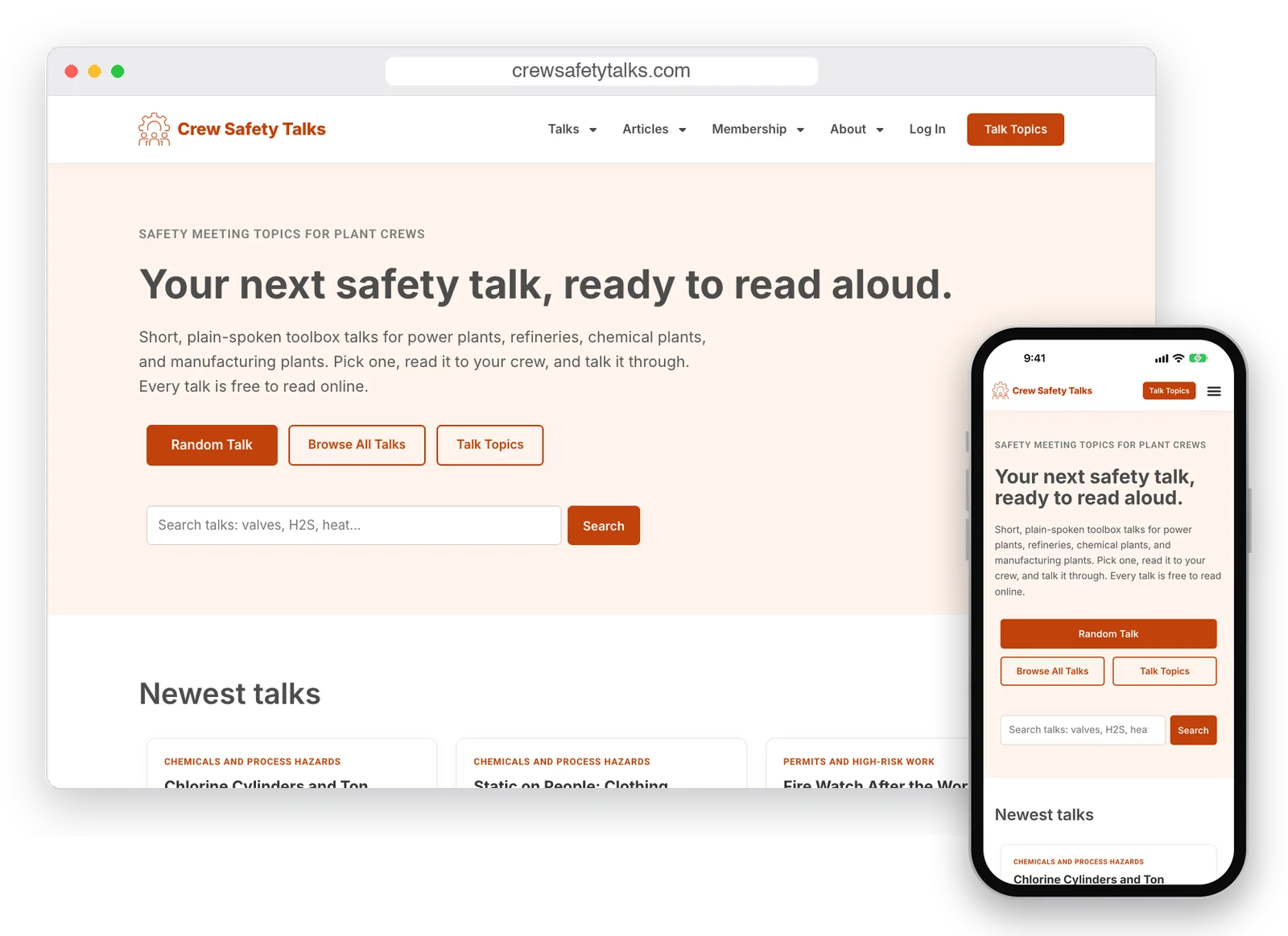
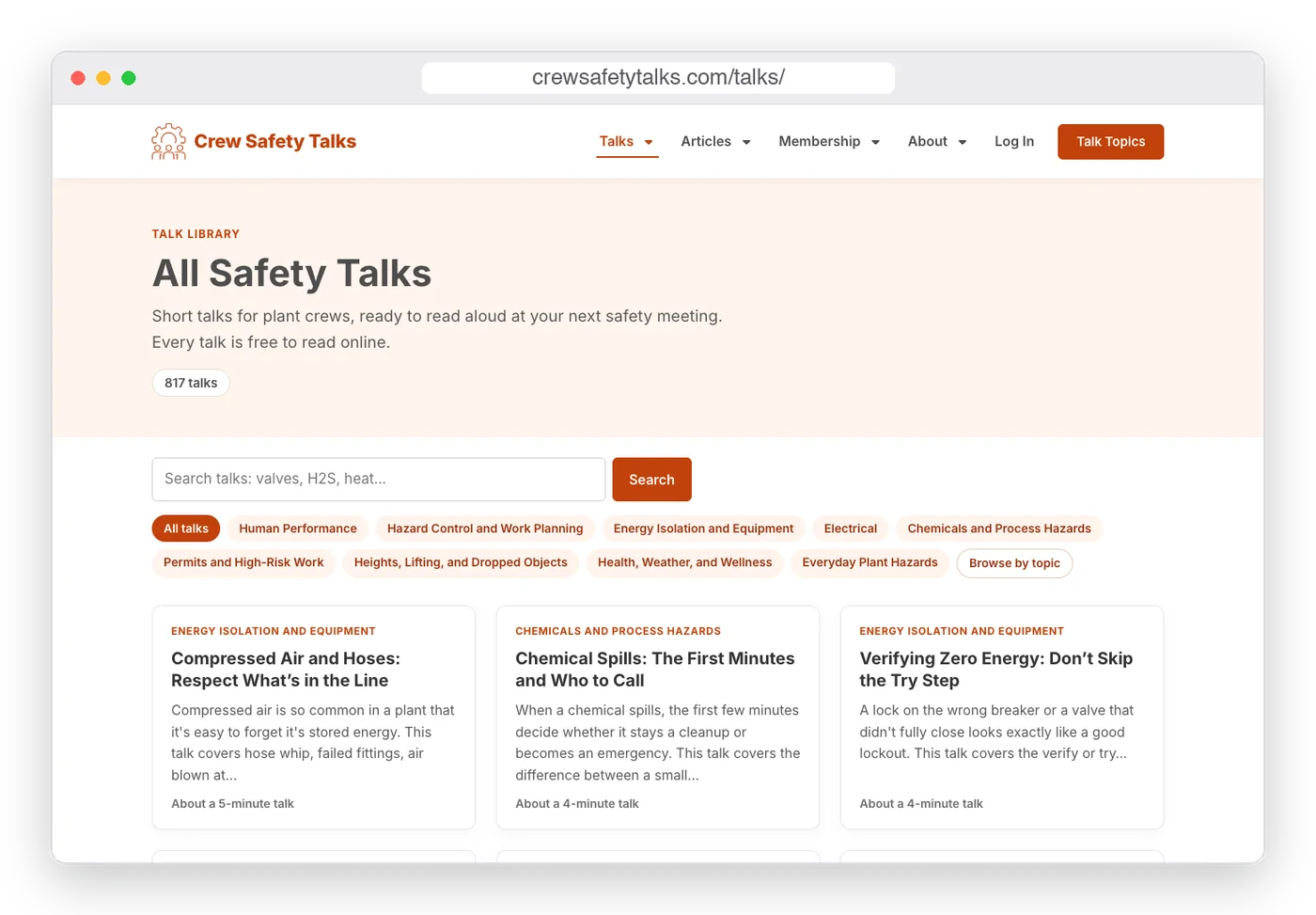
The first screen offers three ways in. Random Talk opens a talk right away for the supervisor who just needs something good. The search box suggests the kinds of words people type, like valves, H2S, or heat. And every talk sits in one of nine subjects, shown as buttons across the top of the library.
The library shows each talk’s subject, a short summary, and how many minutes it takes to read, so choosing one takes a glance.
Subjects and topics that match the work
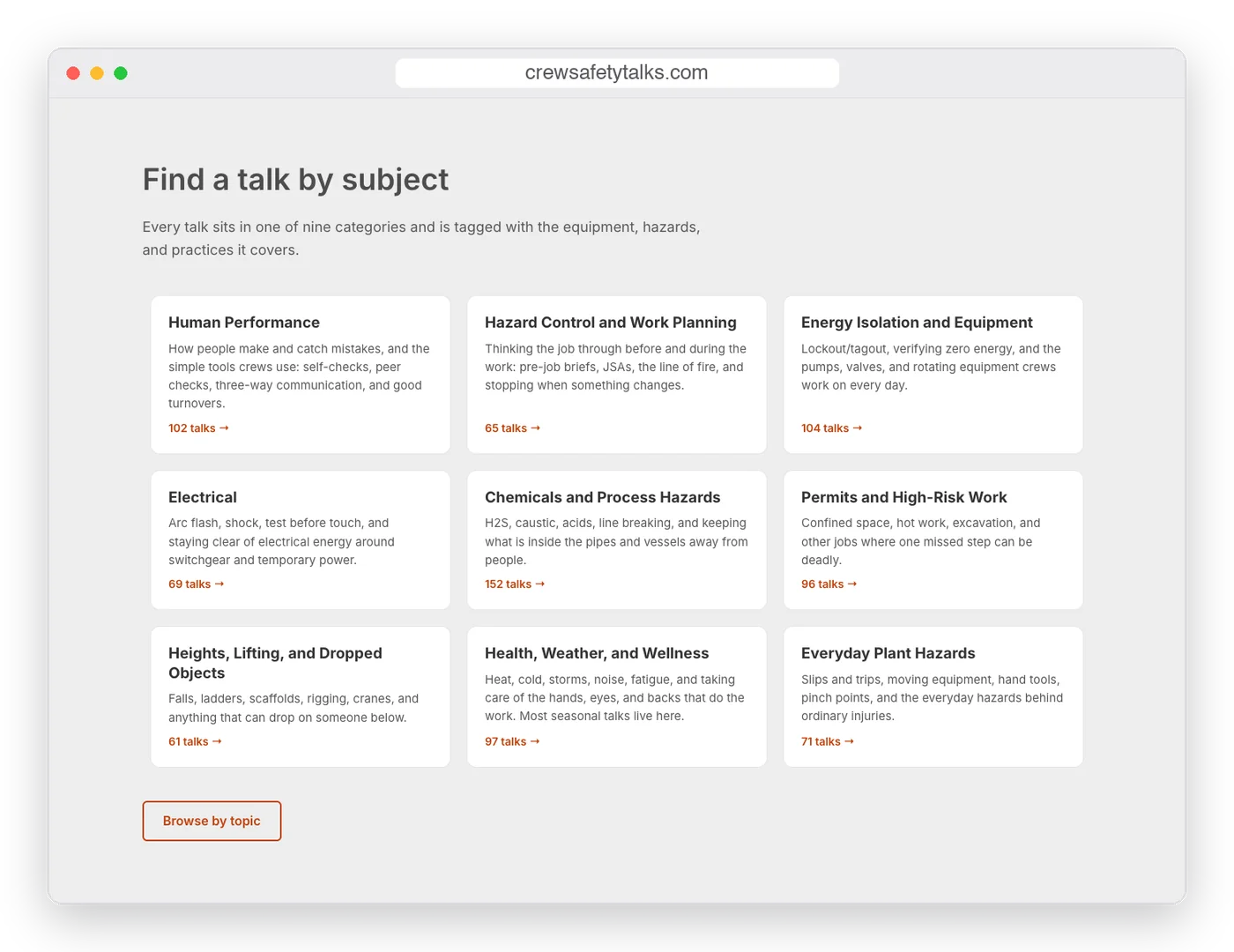
Nine broad subjects cover the plant, from energy isolation and electrical work to heights, chemicals, and the weather. Underneath, 101 topics in six groups let someone find a talk about a specific job or piece of equipment.
Each subject has a plain description, so a new supervisor knows what they’ll find before they click.
Every talk follows the same format
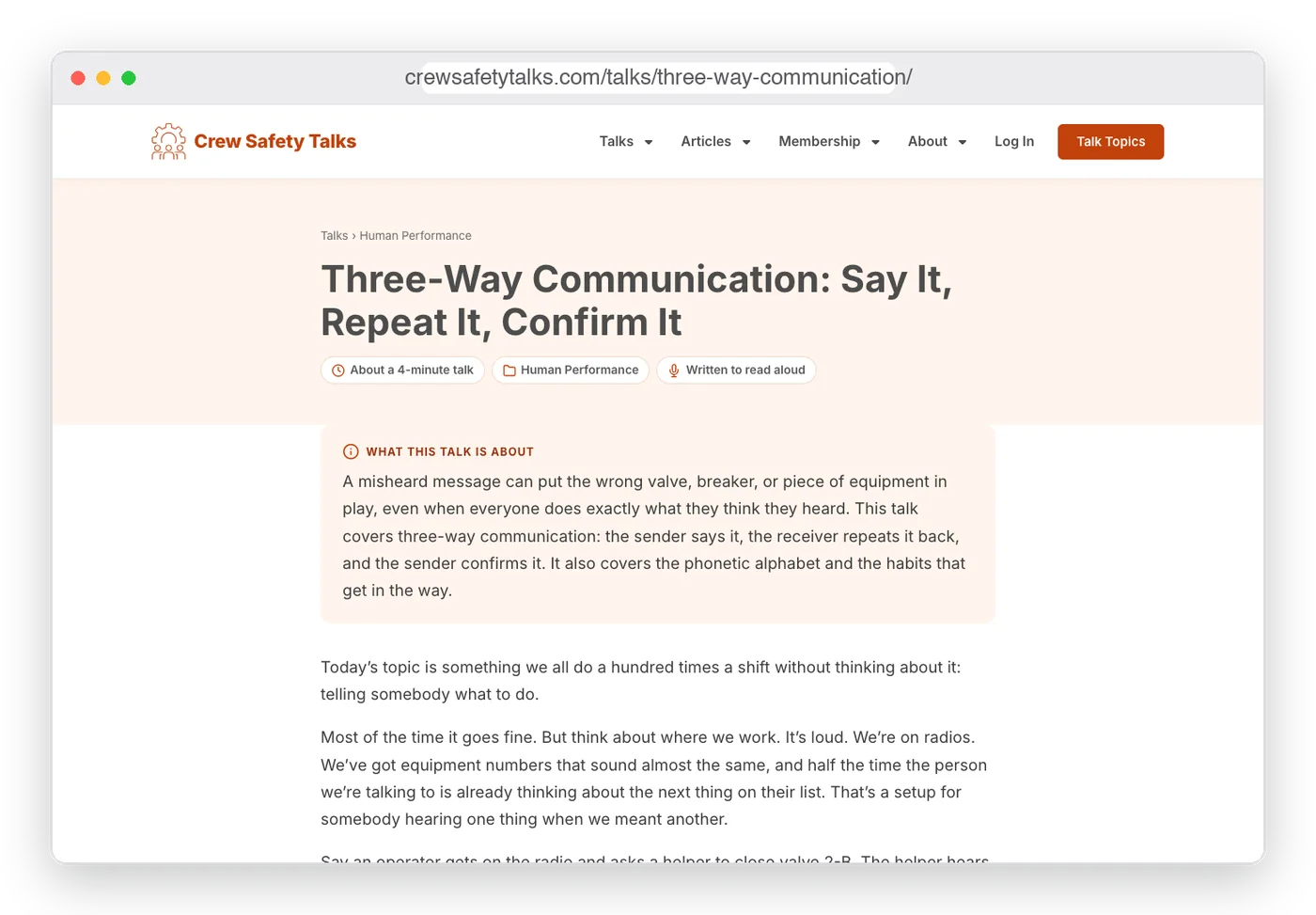
A crew should know what to expect. Every talk opens with a short summary, then the talk itself, a recap, a practice the crew can use on the job, three or four discussion questions, and the published source it’s based on.
That consistency makes any talk easy to lead, even for someone reading it for the first time in front of the crew.
Made to read from a phone
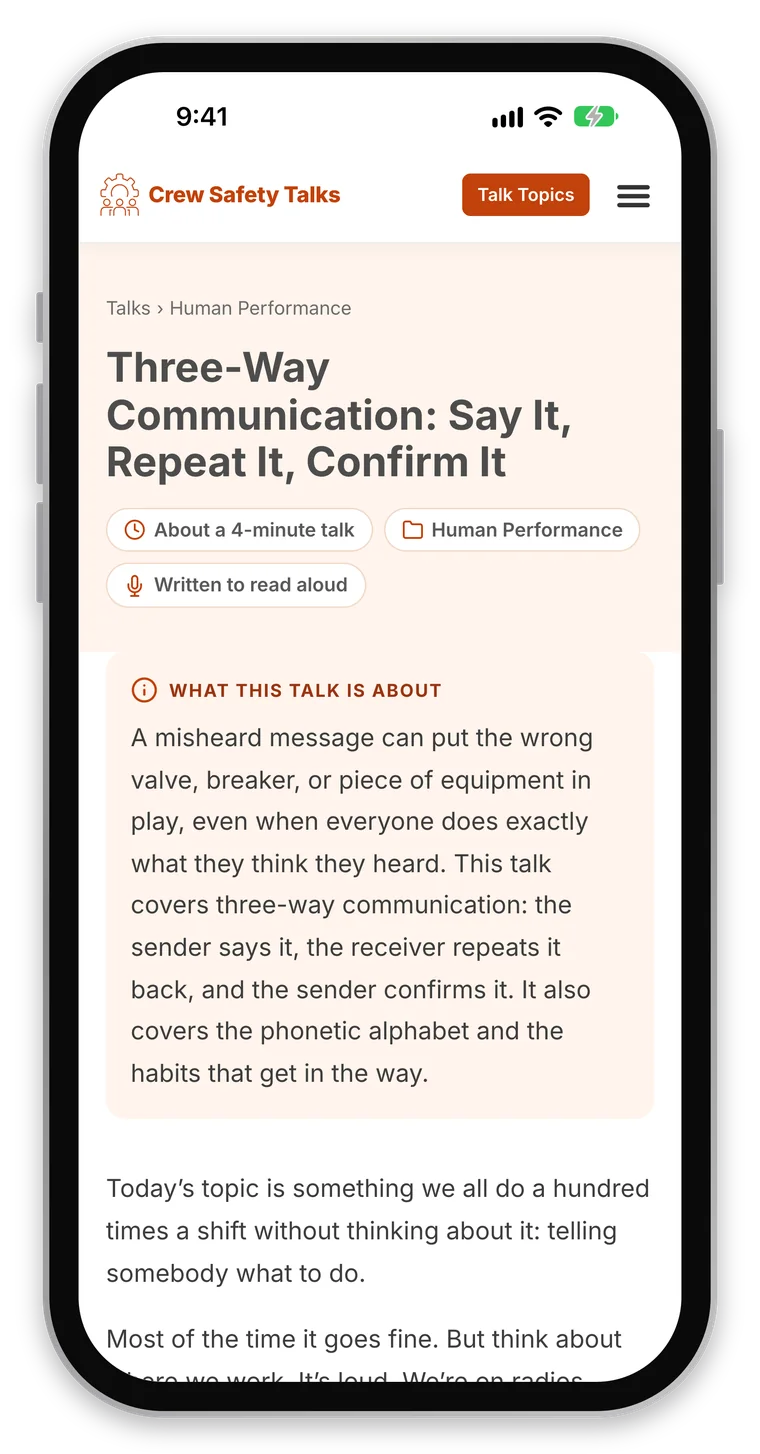
Plenty of talks get read straight off a phone in a break room or at the unit. Every page was designed for the phone first and checked there: large readable text, steps that are easy to follow, and nothing that gets in the way of reading aloud.
At the end of every talk, three related talks give the supervisor an easy next one for tomorrow.
Membership as support, not a paywall
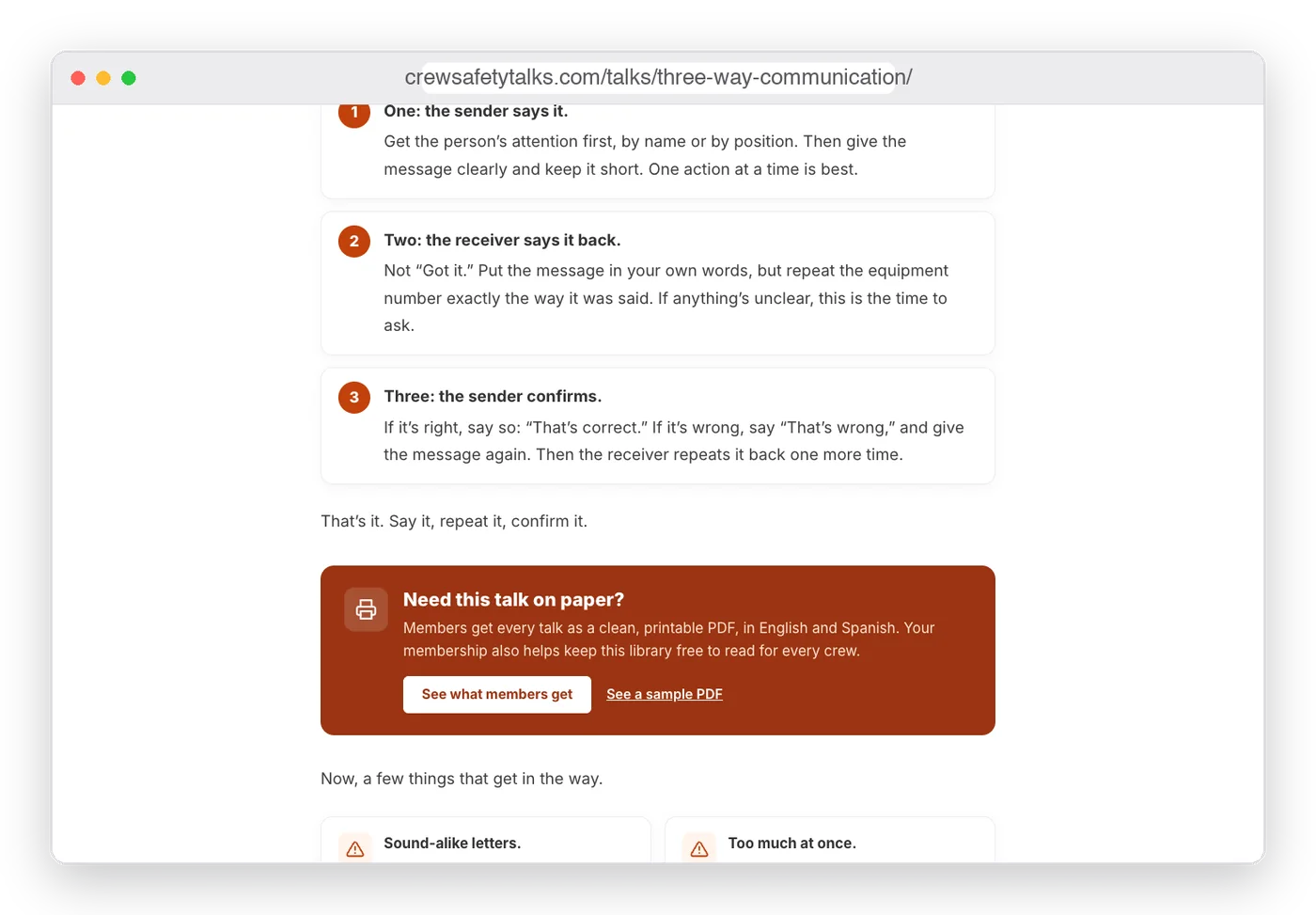
The whole library is free to read, and nothing is hidden to push a sale. Members get every talk as a clean, printable PDF, in English and Spanish, and the site says plainly that a membership helps keep the library free.
A short box partway through each talk offers the PDF version, with a sample PDF anyone can open first, so people see exactly what they’d get.
Plans for one person or a whole plant
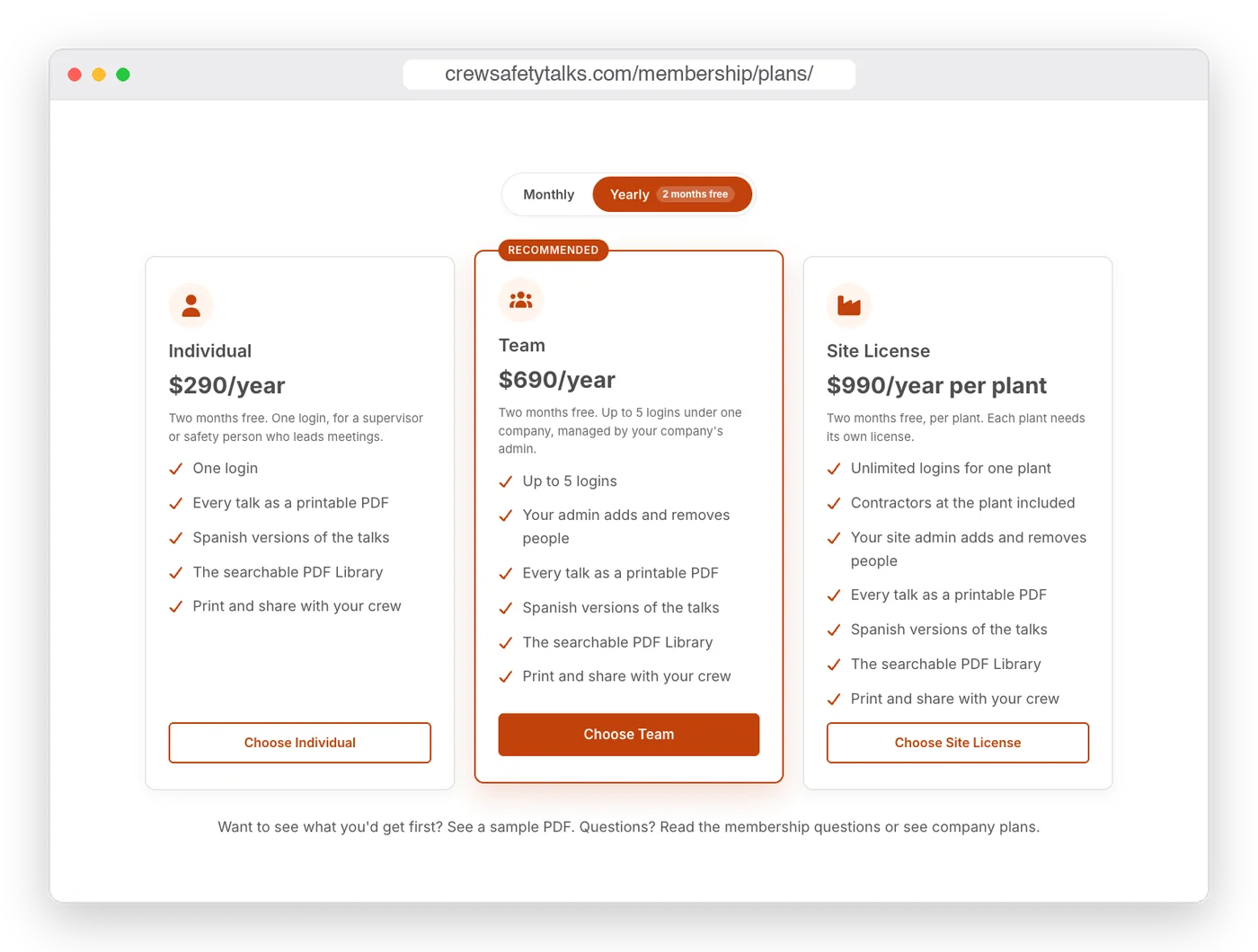
Three plans differ only in how many people get their own login: one person, a small team, or every crew at one plant, including its contractors. Any plan can use the talks with the whole crew.
Company plans have their own admin, who adds and removes people without calling anyone. Payments run through Stripe, monthly or yearly.
Behind the scenes
The parts you don’t see
A membership site has a lot of work that visitors never notice. On Crew Safety Talks, that included:
Paid memberships on WordPress with Stripe billing, a members area, and a searchable PDF library with a Spanish filter. Sign-up, renewal, failed payments, and cancelling were all tested from start to finish.
Company accounts: one company pays, and its admin manages its own people up to the plan’s limit.
A separate log-in page for members, two-factor sign-in for the site’s admin, and a watch on failed logins that alerts without locking out a whole plant that shares one internet connection.
Email set up so the site’s messages, like receipts and password resets, reach inboxes instead of spam folders.
Search engine setup: Rank Math SEO, Google Search Console, and sitemaps that include every talk and topic.
Analytics that count sign-ups and visits to the plans, without collecting anyone’s name or email.
By the numbers
What’s live today
817
Safety talks, free to read online
132
Articles that go deeper on a subject
9
Subjects that organize the library
101
Topics for finding a specific talk
The process
How I built it
1
How the talks get used
I started with the morning meeting: who picks the talk, how much time they have, and what makes a talk easy to lead.
2
Plan the library
Subjects, topics, a talk format every page follows, and the questions people search for.
3
Build the membership
Plans, payments, company accounts, the PDF library, and a members area that’s simple to use.
4
Test and launch
Every payment path tested, every page checked on desktop and phone, and search engines set up.
Results so far
Honest results, so far
Crew Safety Talks is newly launched, so it’s too early for real traffic or membership numbers, and I won’t guess at them. Everything the plan called for is live, along with the analytics to measure what happens next. I’ll add real search, visitor, and membership results here after a few months.
Want a website built around how your customers really use it?
Tell me what you’re working on and what isn’t working. I’ll tell you honestly whether I can help.
Get in Touch